iPhone and Apple Watch

Measure. Fast.
Thrive.

Two apps for body measurements, intermittent fasting, and the daily signals around them. My Measure keeps phone and watch together. Fasty Solo keeps the fast on your wrist.

  • Body measurements
  • Fasting zones
  • Apple Health
  • Watch timer
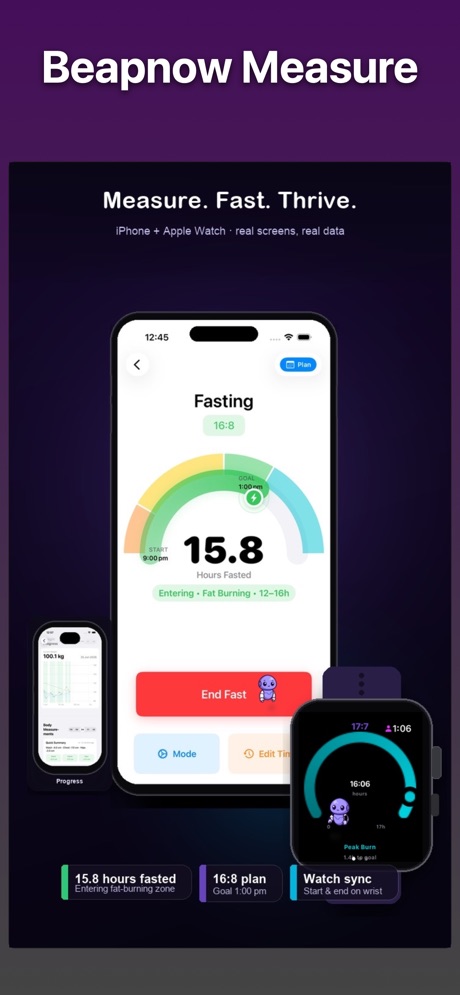
My Measure by Beapnow on iPhone and Apple Watch: a 15.8 hour fast in the fat-burning zone, a progress chart, and a watch dial synced to the same fast.

Pick the app that matches how you fast.

My Measure is the full companion: measurements, a scientific fasting dial, plans, and Apple Health on iPhone and Apple Watch. Fasty Solo is the smaller one, built only for the watch, when the timer is all you want.

iPhone and Apple Watch · iOS 18 or later

My Measure

One calm place to log how your body is changing, run a fast with the zones in view, and see activity, sleep, and recovery beside it. Fasty, the robot coach, shows up when a nudge helps and stays quiet when you ask.

Free to download. In-app purchases available.

  • Measurements over time

    Log weight, waist, hips, chest, ketones, and glucose in metric or imperial. Trends, a body radar, and goal milestones show the weeks, along with each entry.

  • A dial with fasting zones

    Start and end a fast on a gauge that moves through fed state, fat burning, ketosis, and autophagy. You see hours fasted and how close the goal is.

  • Plans you can follow

    16:8, 18:6, 20:4, and mixed 30-day patterns such as Wave. Each day is marked planned, successful, stopped early, or over, with streaks and badges along the way.

  • Health signals from Apple Health

    Activity, sleep, stress and recovery, cardio, and a cortisol-style gauge. The phone reads steps, sleep, HRV, and VO₂, and can write fasting sessions back to Health.

  • Apple Watch, in the same fast

    A large fasting dial on the wrist, plus Schedule and Insights. Complications cover fasting time, steps, and flights, and the clock keeps moving while you are fasting.

  • Fasty, on your terms

    Contextual tips and goal nudges from the mascot. Set messaging to Quiet, Normal, or Chatty, add quiet hours, or turn coaching off.

On iPhone
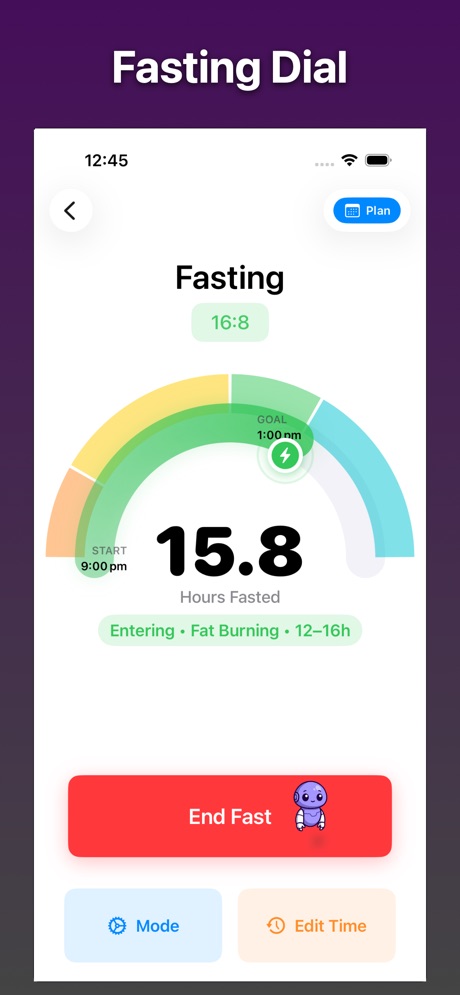
Fasting dial at 15.8 hours on a 16:8 plan, labeled Entering Fat Burning, with End Fast, Mode, and Edit Time.
Fasting dial and zones
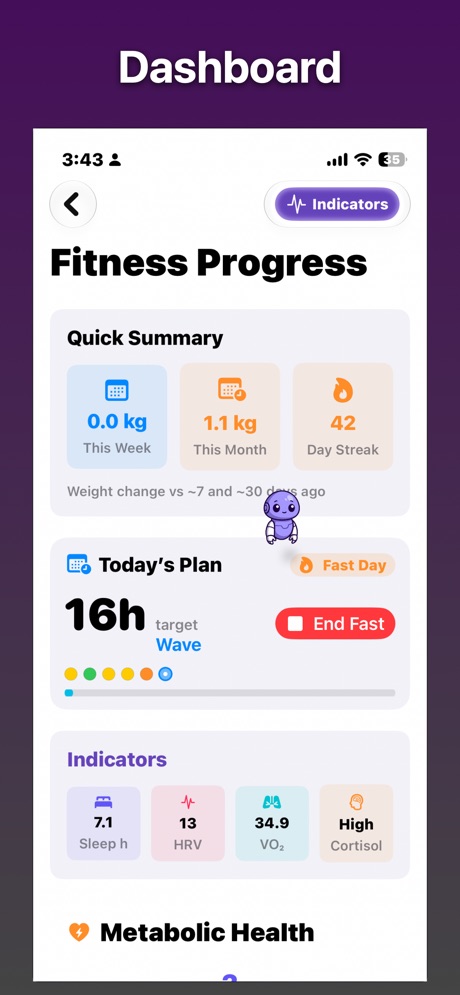
Fitness progress dashboard with weekly and monthly weight change, a 42-day streak, today's 16-hour plan, and sleep, HRV, VO2, and cortisol.
Progress, plan, and indicators
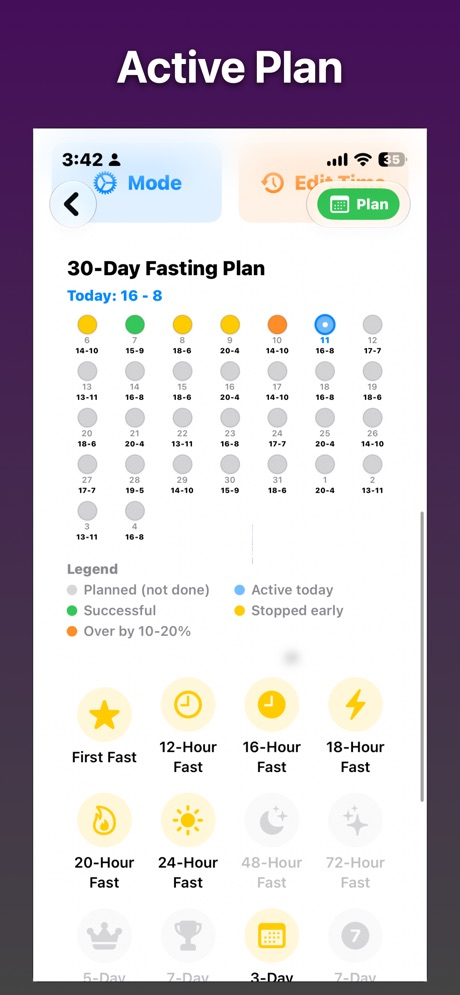
30-day fasting plan calendar for today 16:8, with days marked successful, stopped early, or over, and badges for 12-hour through 72-hour fasts.
30-day plan and badges
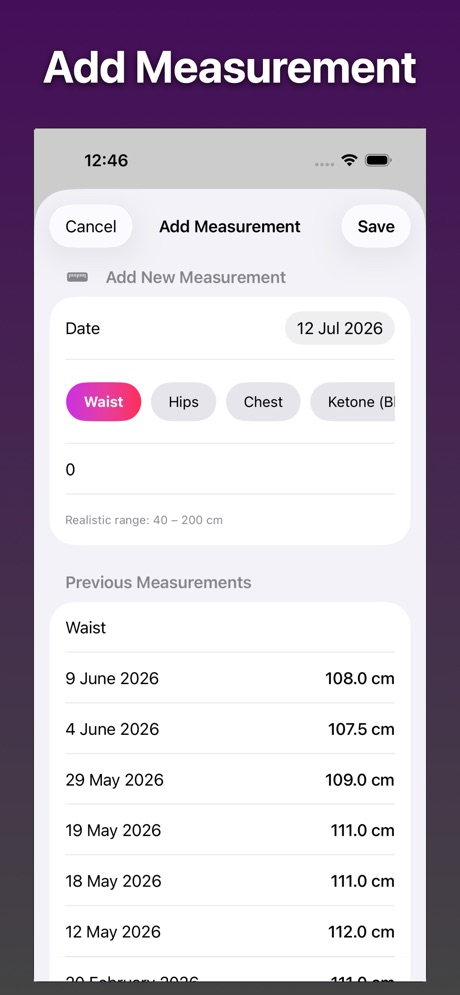
Add measurement screen with Waist selected, a value field, and a history of earlier waist measurements in centimeters.
Waist, hips, chest, ketones
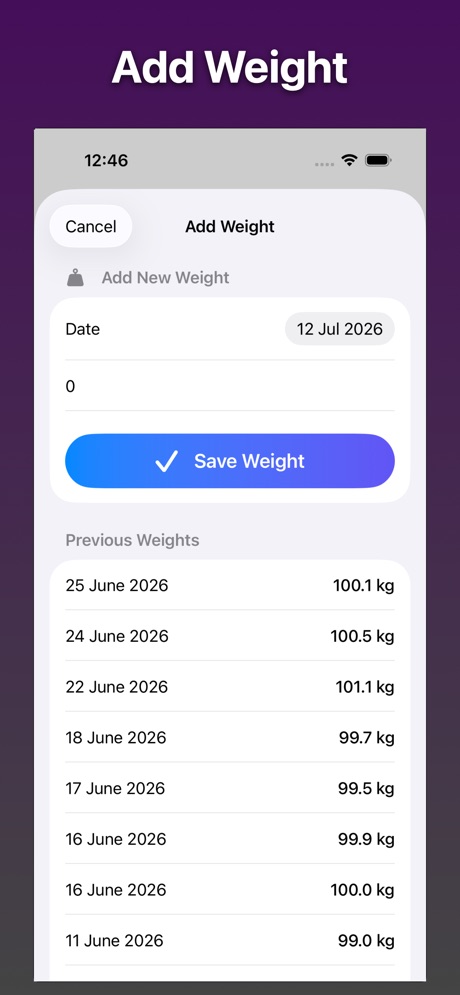
Add weight screen with a save button and a list of previous weights in kilograms.
Weight log
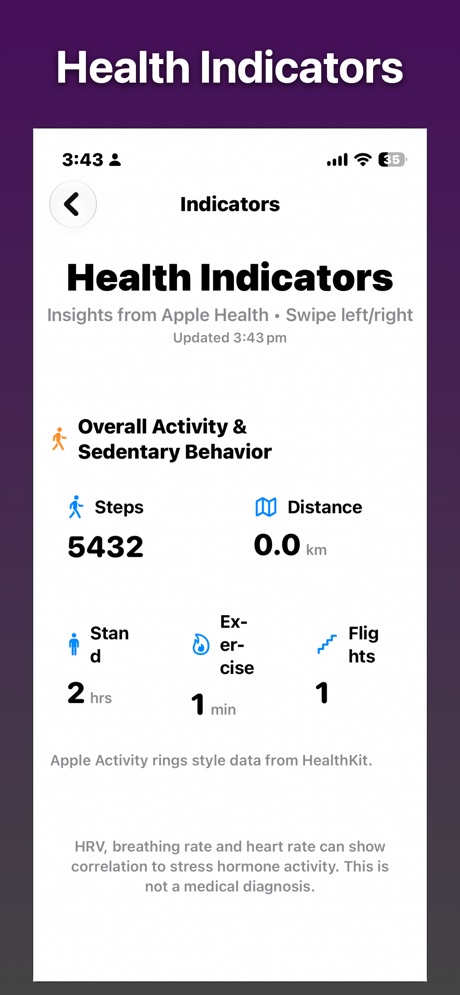
Health indicators from Apple Health showing steps, distance, stand hours, exercise minutes, and flights climbed.
Activity from Apple Health

On Apple Watch

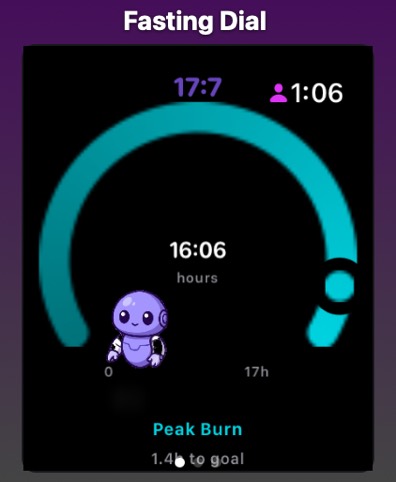
Apple Watch fasting dial at 16 hours and 6 minutes, labeled Peak Burn, with Fasty on the face.
Fasting dial
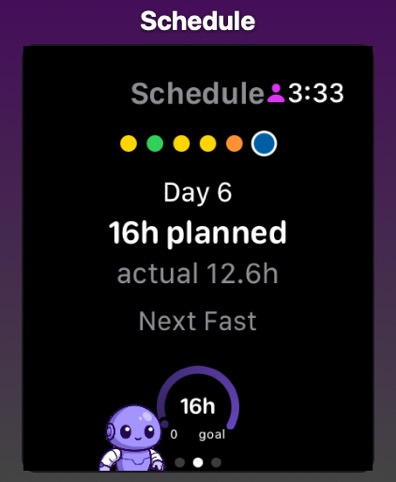
Apple Watch schedule for day 6, 16 hours planned and 12.6 hours actual, with the next fast shown below.
Today’s schedule
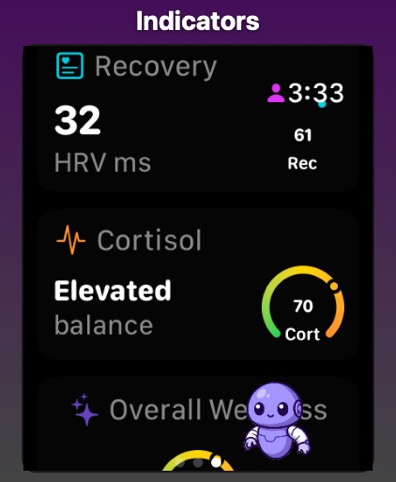
Apple Watch indicators with recovery HRV of 32 milliseconds and a cortisol gauge marked elevated balance.
Recovery and cortisol
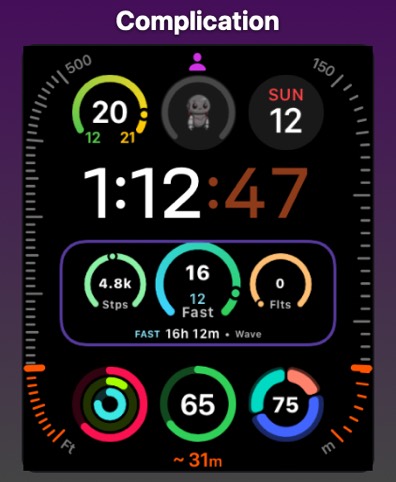
Watch face with a complication showing steps, a 16-hour fast, flights, and the label FAST 16h 12m Wave.
Face complication

Apple Watch only · Free

Fasty Solo

A fasting timer that lives on the watch. Raise your wrist, see the ring, and keep going. Fasty’s mood shifts as the fast gets longer, and the complication stays on the face between glances.

Free. Runs on Apple Watch by itself.

  • Progress at a glance

    A neon ring and a live countdown on the watch. Set a goal such as 16:8, 18:6, or a longer fast, and the timer is the whole app.

  • Fasty on your wrist

    The mascot keeps you company and gets happier as the hours add up, with the occasional wave while you are fasting.

  • Start, end, adjust

    Start and end with one tap. If you began earlier than you tapped, nudge the start back by 15 or 30 minutes.

  • Always on the face

    A circular complication shows fasting progress beside the time, so checking the hour also checks the fast.

On Apple Watch

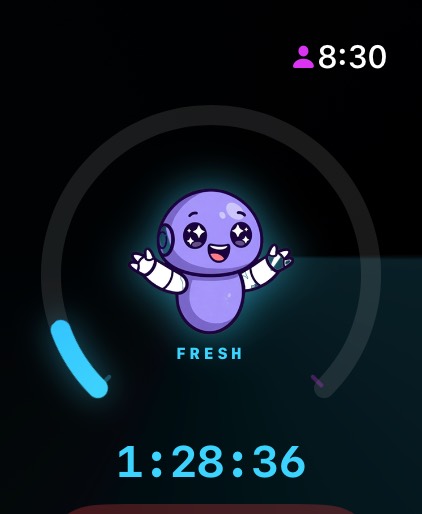
Fasty Solo watch screen with a cyan progress ring, the Fasty mascot labeled Fresh, and a timer reading 1 hour 28 minutes.
Live timer and mascot
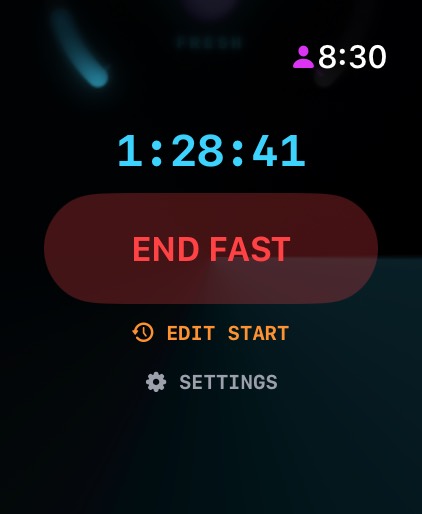
Watch screen with the running timer, a red End Fast button, Edit Start, and Settings.
End or edit the fast
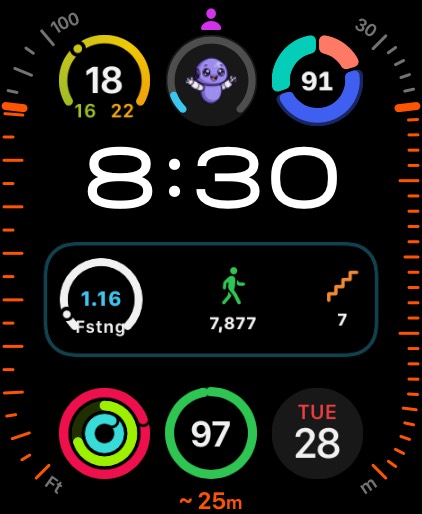
Watch face with Fasty in a circular complication and a rectangular fasting complication next to steps and flights.
Complication on the face
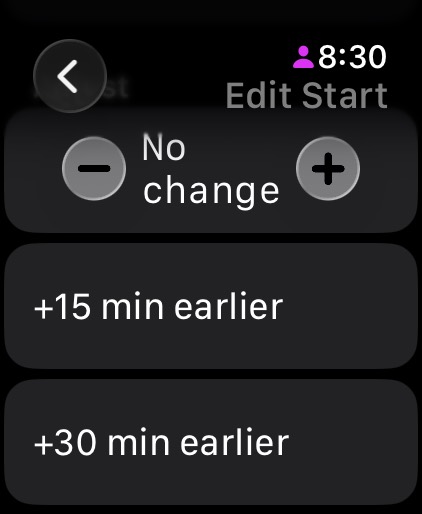
Edit Start screen with options to move the fast 15 or 30 minutes earlier.
Shift the start time
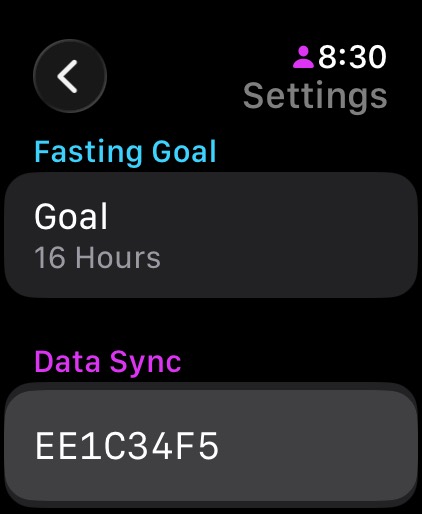
Settings screen with a 16-hour fasting goal and a data sync code.
Goal and sync code

Which one to download

My Measure

Where it runs
iPhone and Apple Watch
Fasting
Dial, zones, 30-day plans, streaks
Measurements
Weight, waist, hips, chest, ketones, glucose
Apple Health
Steps, sleep, HRV, VO₂, fasting sessions
Price
Free to download, with optional purchases

Fasty Solo

Where it runs
Apple Watch on its own
Fasting
Wrist timer, ring, and complication
Measurements
Use My Measure
Apple Health
Use My Measure
Price
Free

Already using an app and need the browser view of a sync code?